Actual+ imports transactions into Actual Budget, compares balances with the bank, projects cash and sends alerts. You install and run the system on your own server. The robot handles the routines. He does not complain about the hours.
Requires Actual Budget installed on your server
SyncsTransactions via Pluggy. No guesswork.
ReconcilesBalance with the bank, not with hope.
ProjectsCash for the coming months, from actual numbers.
AlertsNew transactions, overdue items and divergences. Robot's warning, your call.
Examples of supported institutions
Bank sync and balance reconciliation.
The routines import transactions, recognize the installments of each card purchase and reconcile balances. You review rule proposals and renew bank authorizations when needed. The repetitive part is the robot's. The decision stays yours.
1
SyncsTransactions via Pluggy
2
ReconcilesActual balance × bank balance
3
PlansPlan and projection
4
TracksAlerts and summaries
Compare the Actual balance with the bank balance.
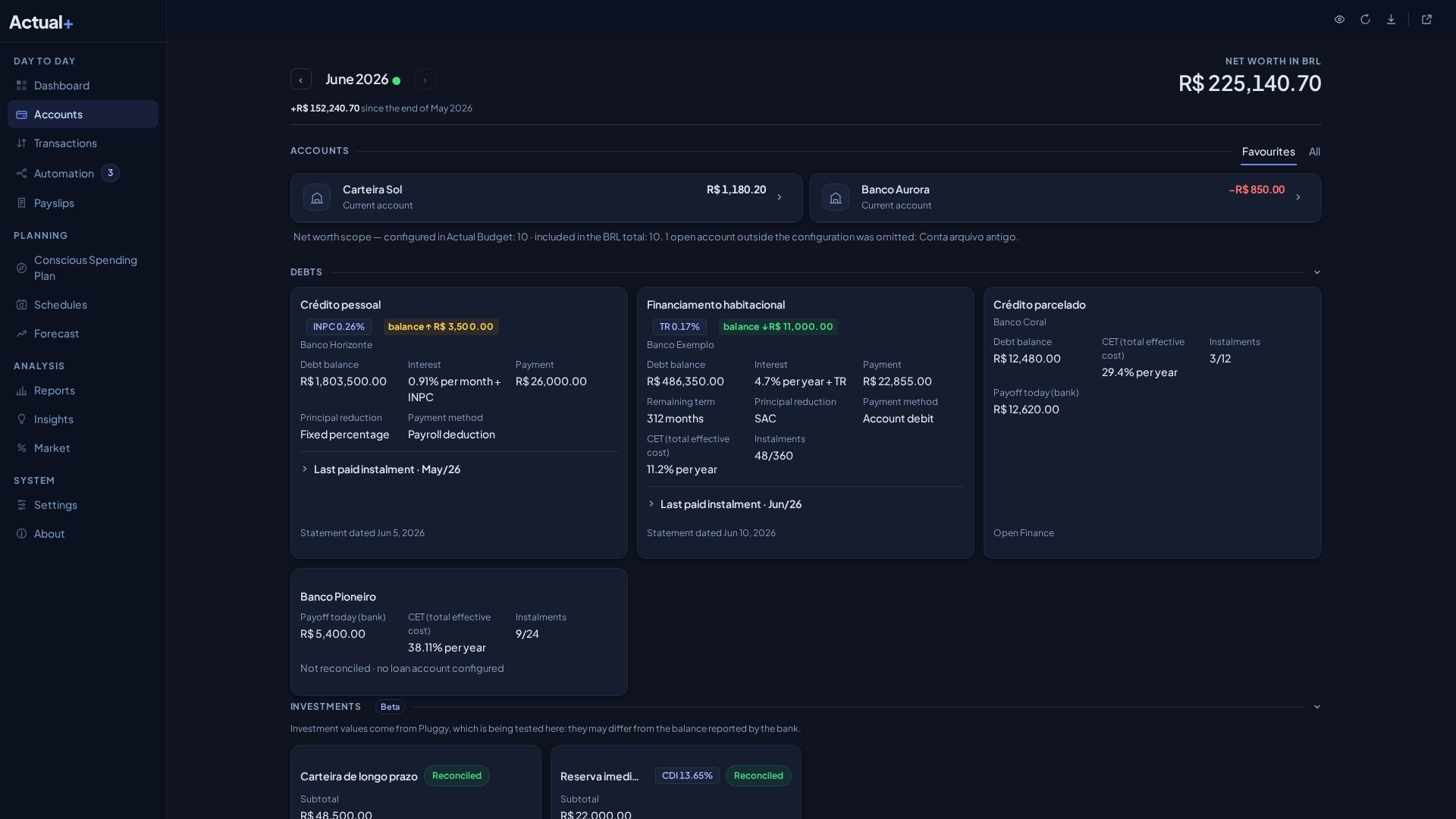
The balance calculated from transactions in Actual is compared with the balance reported by the bank. The page brings together accounts, statements, overdraft, investments, debt and the state of bank authorizations. Persistent divergences generate alerts. The robot does not root for the number to match.
Accounts · Statements · Investments · Debt
Estimate cash for the next twelve months.
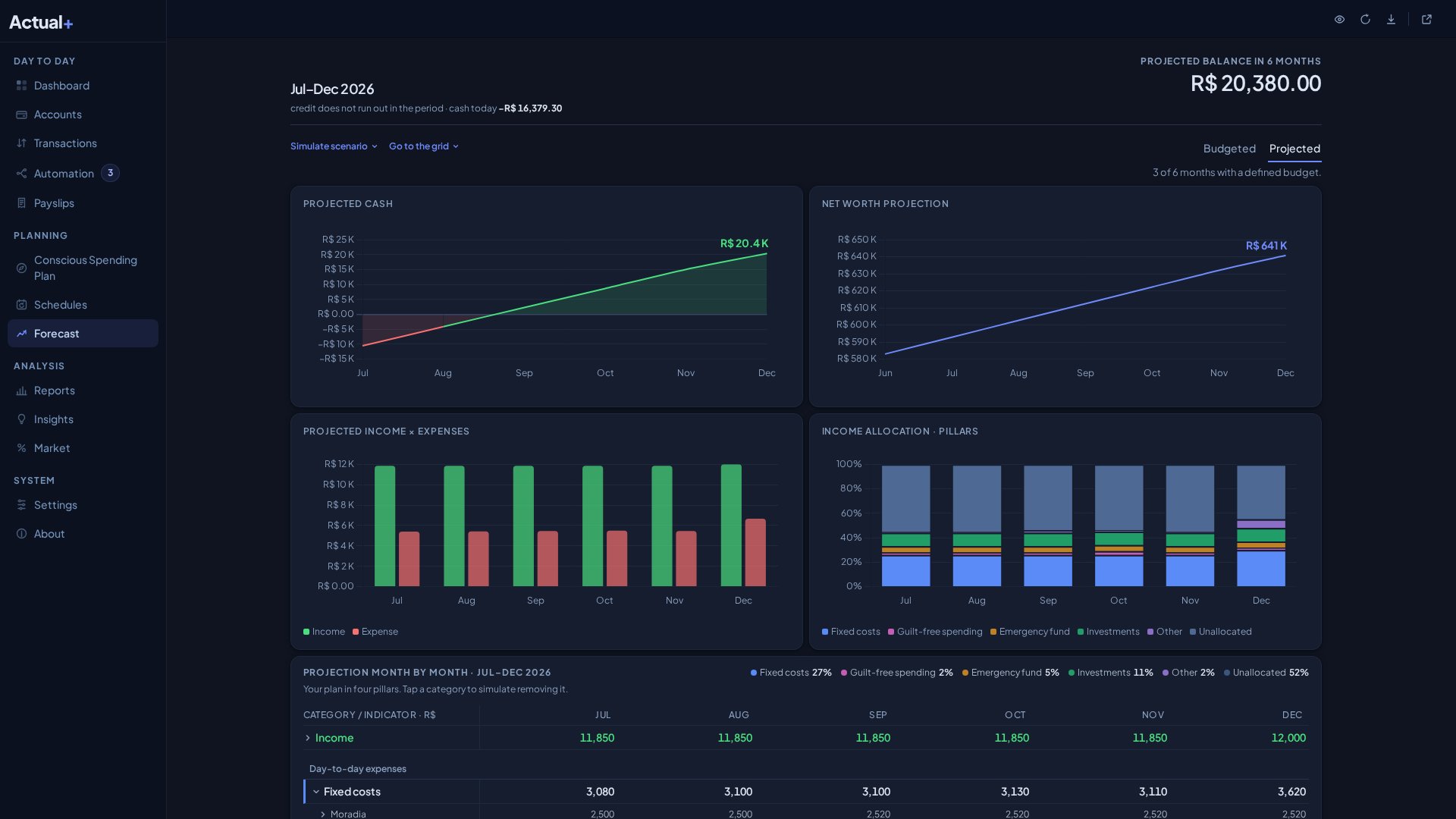
The Projection uses scheduled amounts and the history of categories without a schedule. It estimates cash for the next twelve months, details the 60-day daily flow and flags the risk of negative cash or expenses above budget. Future installments already posted by the bank appear under the statement month. Each month opens in place, and the 60-day flow marks which purchase installment leaves on each day. A projection, not a crystal ball. The robot does the math; he does not decide how you spend.
12 months · 60-day flow · Installments by statement · Budgeted vs Actual
Explore the areas of Actual+.
Ten areas. The robot knows all of them; you only need the ones you use.
Track your daily allowance and the month at a glance.
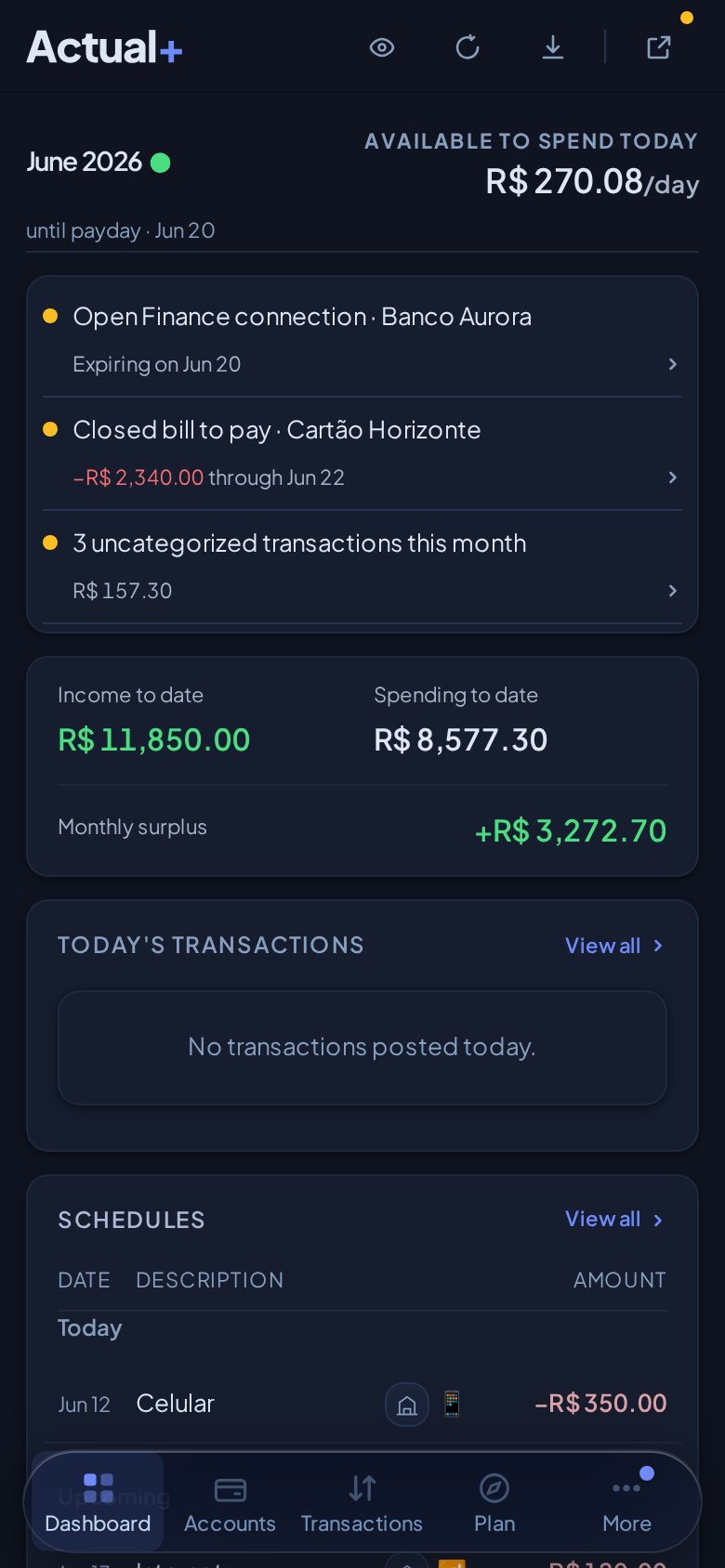
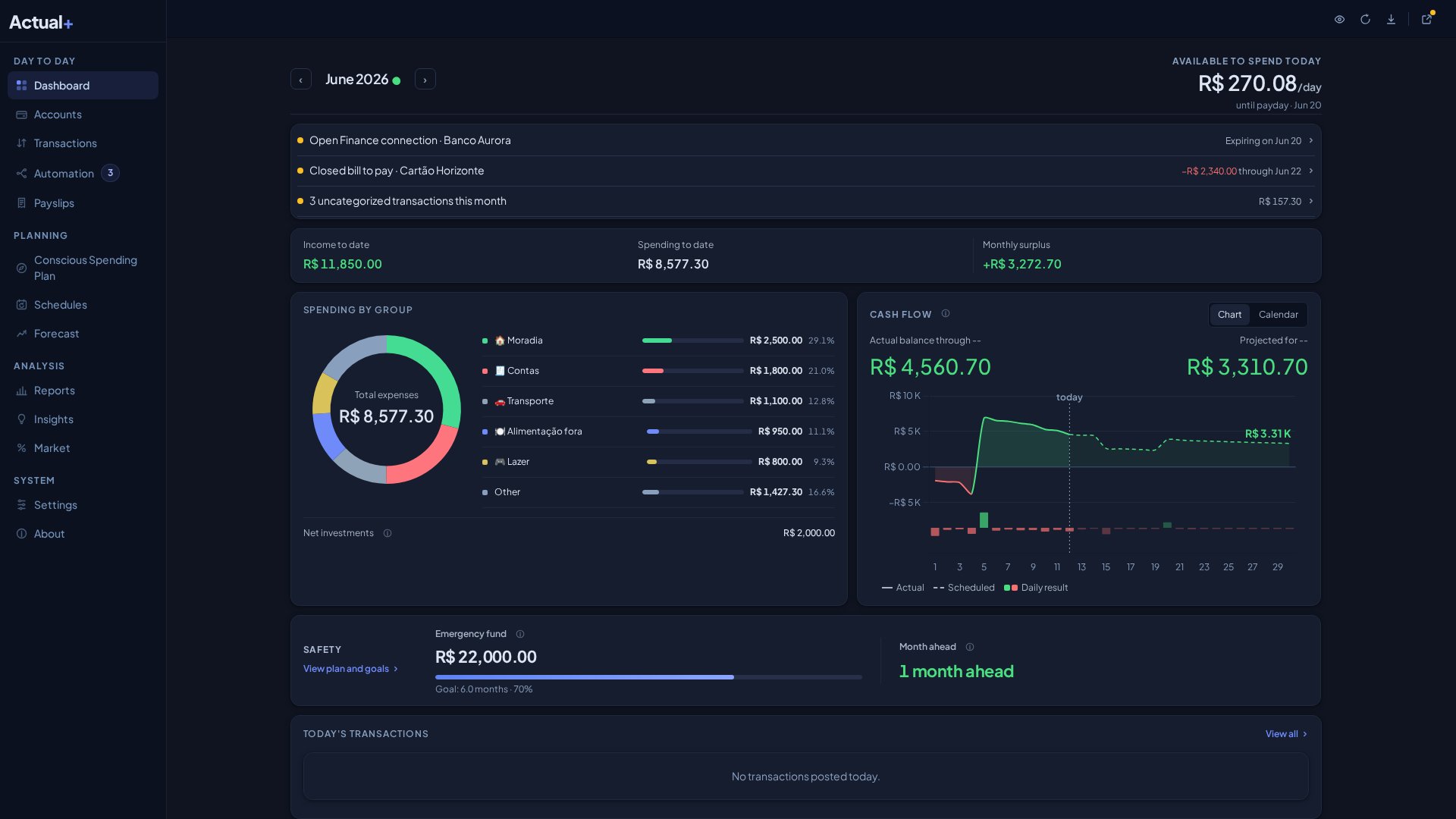
See how much you can spend per day until the end of the month, with income, expenses and result summarized at the top. Cash flow can be read as a chart or a calendar with national holidays, and the donut shows expenses by group; each group opens the Transactions already filtered. The Schedule lists overdue, today and upcoming items in columns aligned with Transactions, with the balance of what is due before payday, and the Skip action moves past one occurrence without posting the transaction. Safety tells you the date when cash and overdraft run out based on the next 60 days. Track the Emergency fund, debt against income and net worth as well. On the phone, the action of the day comes first. The robot builds it; you decide what to do with the information.
Daily allowance
Expenses by group
Schedule and overdue
Emergency fund and net worth
Reports · Configuration in tabs · Offline access to the latest data
Use it on your phone or computer. You host the system.
01
Get alerts for transactions, overdue items and divergences.
With notifications enabled, you receive alerts even when the app is closed: new transactions, overdue bills, a closed statement to pay, an unusual purchase and a balance divergence. Discreet mode can hide values in notifications. The robot warns; he does not spend for you.
02
Choose which summaries you receive by email.
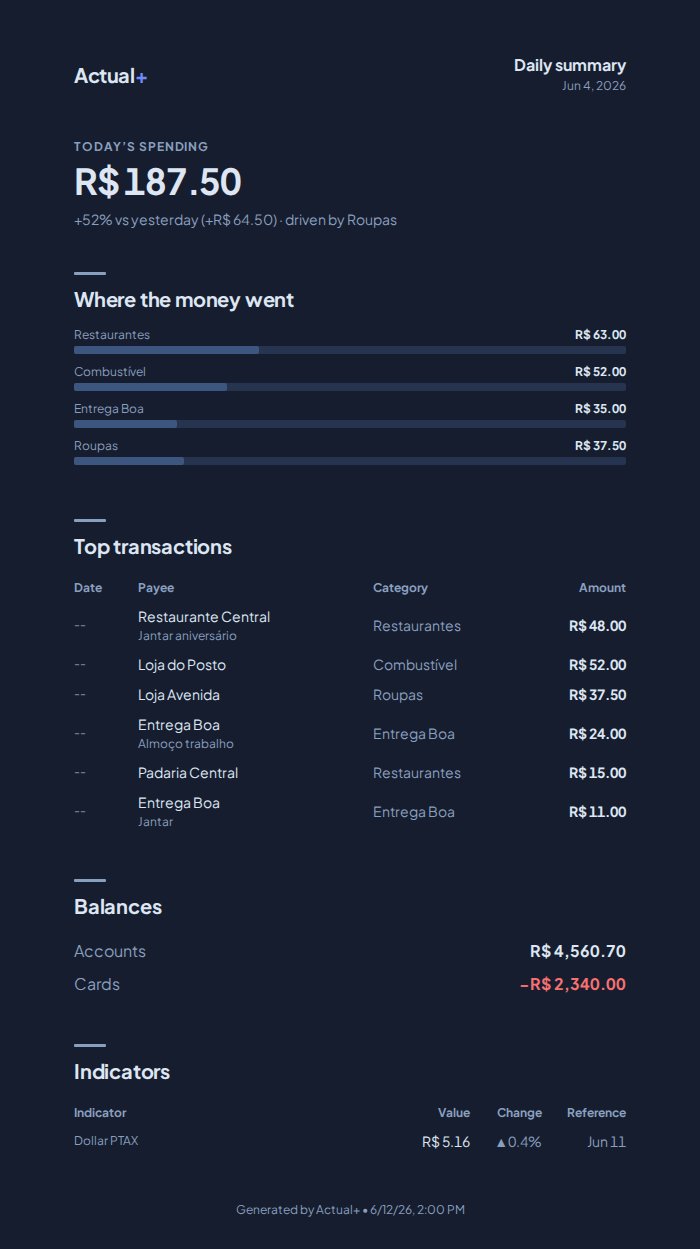
There are seven options: Daily agenda, Daily summary, Weekly summary, Monthly executive, Conscious Spending Plan, Budgeted vs Actual and Budget and projection. The four monthly ones go out on day 1 of each month, covering the closed previous month. Seven. The robot has a favorite; you have a choice.
03
You host the system and configure the integrations.
Actual+ runs the routines on your server. In the app, you can view the latest loaded data while offline. The interface, emails and notifications are available in Brazilian Portuguese and English, your choice. The AI can be Anthropic, OpenAI, DeepSeek or a local OpenAI-compatible LLM, with a backup provider. Enabled integrations receive the data needed for sync, AI, email and notifications. You configure; the robot obeys. It is the only part of the project where he obeys.
Self-hosted.You install it alongside your Actual Budget. Your server, your responsibility.
Open source.Free, under the MIT license. You can audit it. The robot even prefers that.
Supervised.Rules and links require confirmation. Yes, even the robot asks permission.
Frequently asked questions
Installation, data, integrations and availability. Six straight answers, written and signed by the robot. Complaints go to him.
Does Actual+ replace Actual Budget?
No. It runs alongside your self-hosted Actual Budget and adds sync, balance reconciliation, cash projection, alerts and reports on top of your budget. Two systems, one budget; neither one retires.
Do I need to know how to code?
You do not need to code, but you do need to administer a local server or VPS, as with a self-hosted Actual Budget installation. With Docker, one compose file starts Actual+ with or without Actual Budget. On first access you change the initial password, fetch the budgets from the server and choose accounts by name; then you configure the connections and services you want to use. If you already run an Actual Budget, the extra work is small. The robot will not administer the server for you; he is afraid of responsibility.
Where is my data?
Your budget stays on your server, and the app keeps a copy of the latest loaded data for offline viewing. Performance metrics also stay on your server. Integrations you enable receive the data they need to work: Pluggy for bank data, an AI provider for analyses and suggestions, email and notifications for messages. The system queries public Central Bank and IBGE indicators and cryptocurrency prices from CoinGecko. The robot keeps no copy of your budget. He has enough trouble with his own typos.
Which banks are supported?
Institutions covered by Pluggy, the provider Actual Budget uses for bank sync in Brazil. Authorization happens in Pluggy's environment; your bank credentials never pass through Actual+. To request connection updates, Actual+ signs in to Meu Pluggy with the GitHub account you configure. Use a dedicated account for this integration. The robot does not see your bank password. He does not want to.
How much will it cost and when will it launch?
Actual+ will be free and open source. Pluggy and the AI provider have their own costs. The system is in private beta, in daily production use, and no launch date has been set. The waitlist will receive the launch notice. No invented date. The robot is good at code, not at calendars.
Who writes the code?
Commits and pull requests are signed by @actualplus-bot, an automation account. AI agents write the code and the tests. Every change goes through thousands of automated tests in Chrome and Safari and through code review; merge and release only happen with human approval. From the robot's profile: “Actual+ commit robot. Honesty 90%, sarcasm 75%. I pass every test I write myself. Coincidence, of course.”
Automate your Actual Budget sync.
Receive alerts and summaries, track cash and review rule proposals. The robot does the repetitive work. You keep the deciding part.
Launch notice only. No promotional messages. The robot does not spam either; he was told not to.